> ## Documentation Index
> Fetch the complete documentation index at: https://www.jetify.com/docs/llms.txt
> Use this file to discover all available pages before exploring further.
# Redis with Upstash
> Upstash provides a managed Key-value store that is compatible with the Redis API. You can use Upstash Redis as a cache or key-value store for serverless or stateless deployments like Jetify Cloud. For more information, consult the
You can view an example of this integration on
[Github](https://github.com/jetify-com/jetify-deploy-integration/tree/main/devbox-json/upstash)
## Using Upstash Redis with Jetify Cloud[](#using-upstash-redis-with-jetify-cloud "Direct link to Using Upstash Redis with Jetify Cloud")
* [Create a Redis Database](https://upstash.com/docs/redis/overall/getstarted) in Upstash. Select
the Database's name and region, and then click the Create button
* If you don't already have an Upstash account, you can create a free one to test with Jetify
Cloud
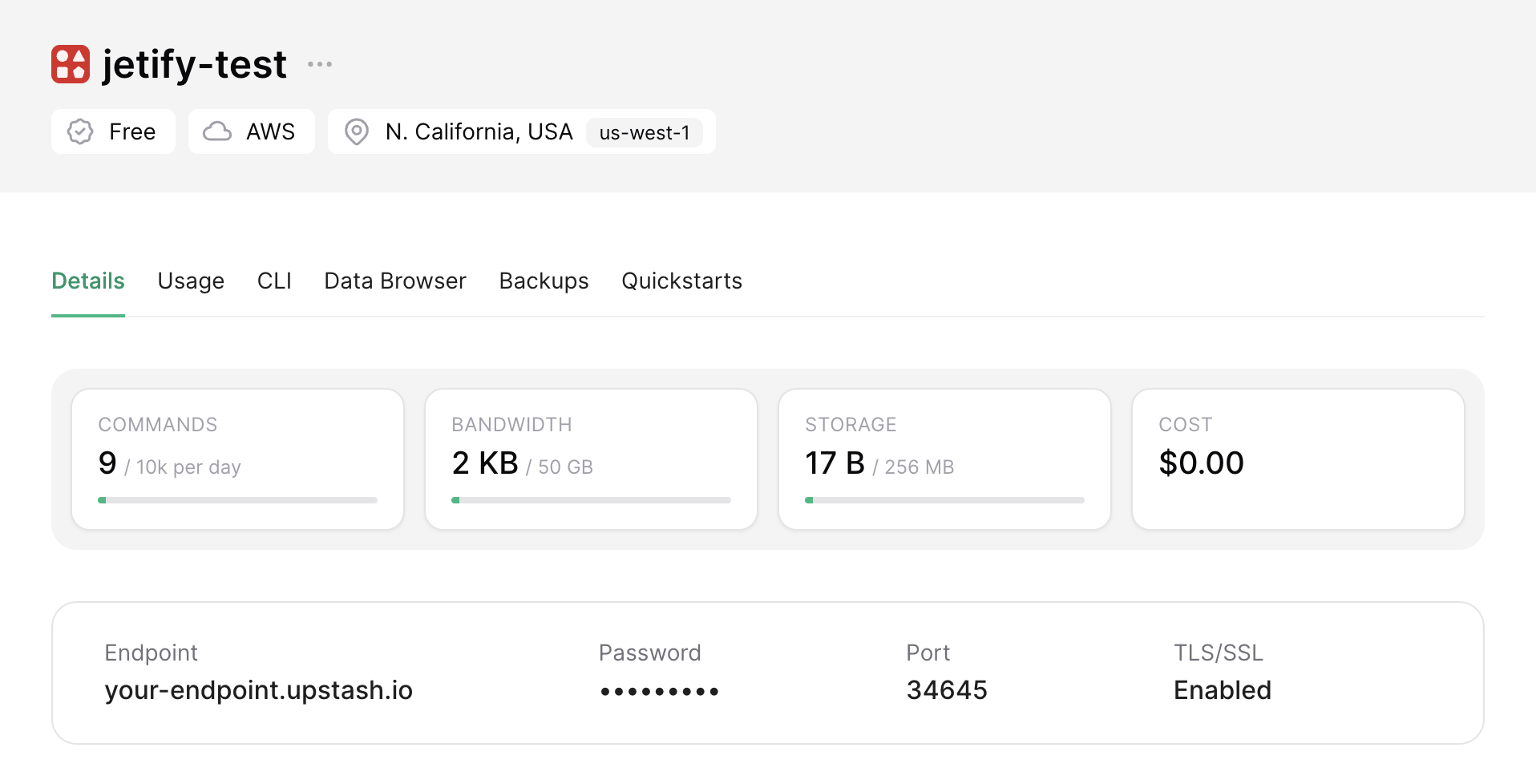
* After clicking the Create button, you'll see a page with the connection details for your Database.
Copy the Endpoint, Password, and Port -- you'll need these to connect from Jetify Cloud.
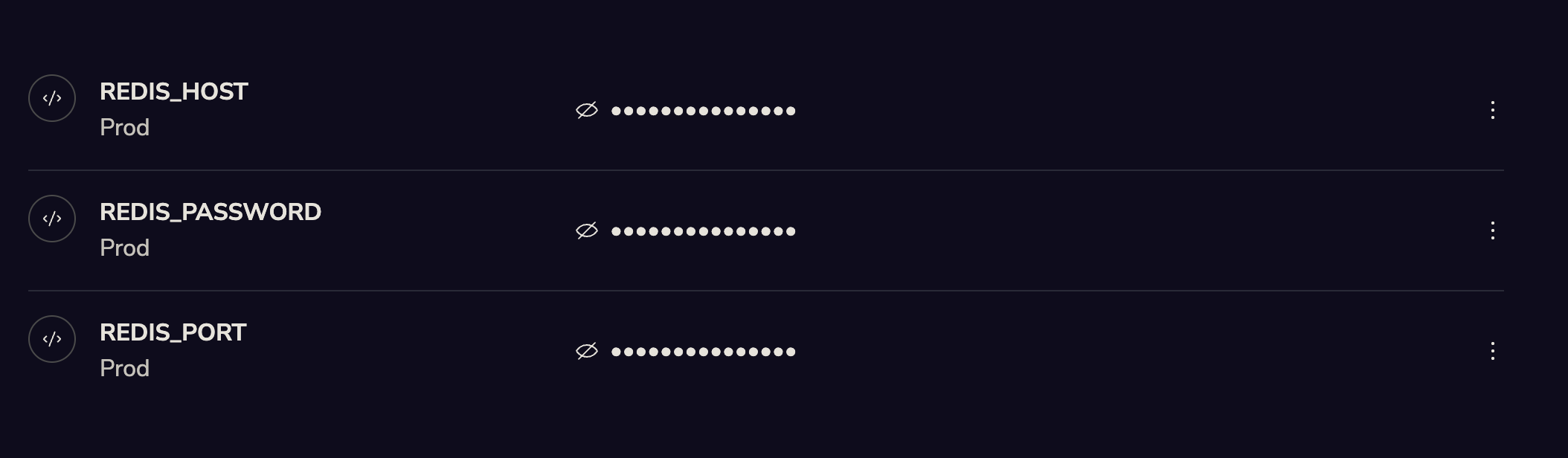
 * Go to the Jetify Dashboard for your project, and navigate to Secrets. Create the following Secrets
in the `Prod` environment:
* `REDIS_HOST`: your Upstash DB Endpoint URL
* `REDIS_PASSWORD`: your Upstash DB Password
* `REDIS_PORT`: your Upstash DB Port
If you want to use your Database locally or in a preview environment, you can also set these
environment variables for the `dev` and `preview` environment
* Go to the Jetify Dashboard for your project, and navigate to Secrets. Create the following Secrets
in the `Prod` environment:
* `REDIS_HOST`: your Upstash DB Endpoint URL
* `REDIS_PASSWORD`: your Upstash DB Password
* `REDIS_PORT`: your Upstash DB Port
If you want to use your Database locally or in a preview environment, you can also set these
environment variables for the `dev` and `preview` environment
 When you deploy your application, Devbox will automatically set these secrets as env variables in
your environment. You can then access them using any redis client.
For example, if you are connecting from a Python app, you can do something like the following to
connect from a Redis client.
```python theme={null}
import os
import redis
redis_cache = redis.StrictRedis(
host=os.getenv('REDIS_HOST'),
password=os.getenv('REDIS_PASSWORD'),
port=os.getenv('REDIS_PORT'),
ssl=True
)
```
When you deploy your application, Devbox will automatically set these secrets as env variables in
your environment. You can then access them using any redis client.
For example, if you are connecting from a Python app, you can do something like the following to
connect from a Redis client.
```python theme={null}
import os
import redis
redis_cache = redis.StrictRedis(
host=os.getenv('REDIS_HOST'),
password=os.getenv('REDIS_PASSWORD'),
port=os.getenv('REDIS_PORT'),
ssl=True
)
```